Yalla Ludo - Ludo&Jackaroo
- 4.3
- Rating
- 100.00M
- Installs
- Free
- Price

 Analysis by App-foxy
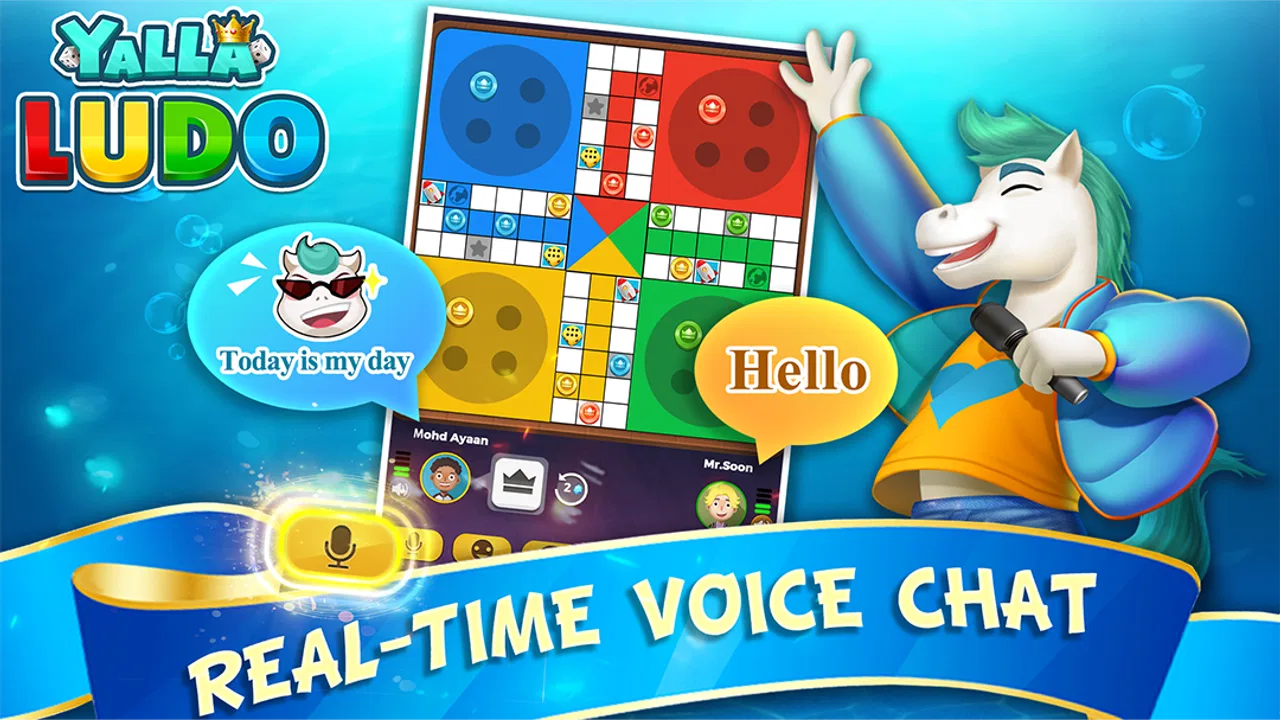
I first understood the appeal of Yalla Ludo - Ludo&Jackaroo in a very ordinary situation: a few people sharing a phone, looking for something more social than silently taking turns in a puzzle game. This is a free board game from Aviva Sun that combines Ludo and Jackaroo with a lively, chat-oriented presentation. The store summary, “Game On, Chat On!”, captures the basic idea well, but the important detail is how much of the experience depends on the people around the board, not just on the rules.
In my experience, it works best when everyone agrees that the conversation is part of the entertainment. A quick match can fill a short break, while a longer session becomes a casual gathering where players react to lucky rolls, risky moves, and unexpected reversals. That social focus makes it different from a traditional offline Ludo board or a purely solo board-game app. It also creates the main question I would ask before installing it: do you want a game that keeps the room talking, or do you want a quiet, tightly controlled way to play?
How a shared-device session actually feels
For a household or group using one device, the first practical challenge is not learning Ludo. Most people already understand the broad aim: move pieces around the board, make decisions based on the roll, and try to reach safety before the other players. The challenge is keeping turns clear when several people are watching the same screen. I found that the smoothest approach is to decide the player order before starting and keep the phone positioned where every participant can see it.
You May Also Like

 AccuWeather: Weather Radar
AccuWeather Review: A Quick, Clear Forecast for Everyday Decisions
For everyday plans, the best forecast is the one you can understand quickly. AccuWeather makes rain timing, radar, and local conditions easy to act on, with a few trade-offs.

 Hill Climb Racing
Why Hill Climb Racing Still Turns Crashes Into One More Run
A tiny car, a bumpy hill and one more upgrade: Hill Climb Racing keeps resurfacing because its simple chaos makes every near-miss feel personal.

 AliExpress - Shopping App
AliExpress Makes Global Shopping Feel Personal, but Shoppers Bear the Risk
AliExpress turns a global marketplace into a pocket-sized discovery engine. Its reach is useful, its shopping loop compelling, and its trade-offs easy to miss.

 Lords Mobile: Kingdom Wars
Lords Mobile Is a Kingdom-Building Routine, Not a Quick Match
A case-by-case verdict on the building, battles, device demands, and social commitments that make Lords Mobile rewarding for some players and exhausting for others.

 PDF Scanner app - TapScanner
TapScanner Makes Paperwork Easier to Capture, Check, and Share
TapScanner makes scanning with a phone feel less like a rescue operation and more like a dependable step in getting work done. Its capture tools are useful, though not flawless.

 Block Blast!
 Shows How Much a Puzzle Game Can Leave Out
A quiet grid game shows why puzzle players increasingly value instant clarity, repeatable skill and low-pressure play—and where the genre still needs to catch up.
More From Our News Desk
View All News


That small bit of coordination matters because a shared screen changes the rhythm. On a personal phone, the game can feel like a private activity. On a table, it becomes a miniature event. Someone may comment on a blocked route, another person may question a move, and a third player may be waiting for the next turn. The built-in social atmosphere supports that kind of interaction, but it can also make a match feel busier than a conventional board game played with physical pieces.
I would use it for a relaxed evening with friends, a break during a family visit, or a quick contest between people who already enjoy playful arguments. I would not choose it for a formal family game night where younger children need constant help, because the app’s Teen content rating is an important reminder that it is not presented as a child-focused product. Adults should decide whether the tone and social setting suit everyone holding the device.
Why the two-game format is useful
Having both Ludo and Jackaroo gives the app more range than a single-rule board game. Ludo is immediately familiar and easy to explain. Jackaroo is a better fit when players want something that feels less predictable and are willing to spend more time understanding how decisions affect the board. I see that contrast as one of the most useful reasons to keep the app installed: the group can begin with a familiar round and switch to the other game when everyone wants a change.
The trade-off is that variety can create an uneven experience in a mixed group. A person who only wants the simplest possible Ludo round may not enjoy spending time on a less familiar mode. If I were introducing the app to new players, I would start with the mode everyone recognizes, make sure the turn flow is comfortable, and only then suggest trying the second option. That avoids turning the first session into a rules lesson.
Playing well when the phone is passed around
A useful shared-device habit is to say the active player’s name before passing the phone. It sounds obvious, but it prevents the common mistake of someone tapping through a turn because they were not paying attention. I also prefer placing the device flat on a table rather than handing it back and forth after every action. That lets everyone follow the board and reduces the chance that one person controls the pace simply because they are holding the screen.
Another practical tip is to agree on whether advice is allowed. In a friendly household match, open suggestions can be funny and encourage less experienced players. In a competitive match, outside coaching can make the result feel unfair. The app itself cannot settle that social question for you, so the group needs a simple rule before play begins. This is one of those details that affects enjoyment more than a graphical flourish.
Setting boundaries before anyone starts
Because the game is free to download and play, it is easy to treat installation as a harmless impulse. I would still set expectations before putting it on a shared device. The listed in-app purchase range runs from $0.99 to $299.99 per item, so I would not let a child or guest use a payment-enabled account without checking the device’s purchase protections first. That is not a criticism of the board-game concept; it is basic housekeeping for any free mobile game with optional purchases.
On a family phone or tablet, I would also decide whose account is being used and who is allowed to change settings. Shared hardware does not automatically mean shared progress, identity, or spending authority. If several people take turns on the same device, confusion can follow when one person assumes a result belongs to them or another person treats a purchase as part of the game. A short conversation at the beginning is easier than sorting out misunderstandings later.
The app’s minimum operating-system requirement is Android 5.0, which makes it accessible to older compatible Android devices. That does not guarantee that every older phone will feel equally comfortable, especially when a group needs a screen large enough for several people to view at once. On a small handset, passing the device may be unavoidable. On a larger screen, the board is easier to read and the social side becomes more natural.
What I would check on a shared phone
Before a group session, I would check four things: whether the device has enough battery, whether notifications might interrupt the match, whether the active account belongs to the right person, and whether purchases require confirmation. These are not glamorous preparations, but they directly affect a shared game. A notification appearing during a tense turn can distract everyone, while a low battery can end a session just as the match becomes interesting.
I would also avoid assuming that the app is suitable for unsupervised children simply because Ludo is familiar. The Teen rating should guide the household decision. A parent may be perfectly comfortable with an older teenager using it, while choosing a different board game for a younger child. The right choice depends on the people sharing the device and the kind of interaction the household wants to encourage.
Free access versus spending pressure
The free entry point is a clear advantage for trying the game with friends. Nobody has to buy a physical board, find missing pieces, or explain the rules from memory before deciding whether the group likes the format. At the same time, optional purchases create a boundary that is less visible in a traditional tabletop set. My advice is simple: treat the free installation and paid extras as separate decisions.
If I were setting up a device for a household, I would make the spending rule explicit: play is fine, but purchases need permission. That protects the atmosphere of the match as well as the account. It also helps players judge the game fairly. If someone is uncomfortable with any purchase prompts or monetization in a board game, a physical Ludo set or a simpler offline alternative may be a better fit.
Coordinating people, turns, and expectations
The strongest part of this title is its ability to turn a familiar board into a social meeting point. The store short description is simply “Yalla Ludo,” but the experience is broader than the name suggests because conversation sits close to the game loop. I noticed that the app is most enjoyable when players are not treating every move as a serious test of skill. The laughter, teasing, and sudden changes in fortune are part of the reason to choose it over a quiet solo game.
That same social energy requires coordination. If one person is playing while others are chatting separately, the match can slow down and players may miss important actions. I recommend naming a casual “table host” for the session. This person does not need to control the game; they simply remind everyone whose turn it is, explain unfamiliar choices, and keep the phone visible. In a household, that role can rotate from round to round.
For a realistic everyday example, imagine two adults and a teenager waiting for dinner to finish. One person launches a quick Ludo match, the phone sits on the counter, and everyone takes turns while talking. The teenager may want a faster pace, one adult may be focused on winning, and the other may be playing mainly for conversation. Agreeing that the match is casual prevents the competitive player from dominating the mood. If the group enjoys the first round, Jackaroo can provide a fresh challenge rather than repeating the same pattern.
When its social design helps
This app is a good choice for people who like light competition with an audience. It can help a group bridge an awkward quiet moment because the board gives everyone something concrete to discuss. It is also useful when friends are tired of guessing what to do together: instead of arranging a complicated activity, they can start with a familiar board format and see whether the group wants to continue.
I would be more cautious with very competitive groups. Random outcomes can make a player feel that a loss was unfair, even when the rules were followed. The app can provide the setting for a contest, but it cannot make everyone agree on what counts as good sportsmanship. If the goal is a deeply strategic experience where careful planning matters more than luck, a dedicated strategy board game may be more satisfying.
Where the usual alternatives are better
A physical Ludo board remains better when the household wants a screen-free activity, when several people need to see every piece at once, or when younger children benefit from touching and moving the pieces themselves. A basic offline board-game app may be preferable for someone who wants minimal social distraction. On the other hand, a physical set cannot offer the same convenient combination of Ludo, Jackaroo, and mobile chat-oriented play in one compact place.
Compared with a solo puzzle game, this title has more value when the group is present. Compared with a full online strategy game, it is easier to approach because the central board-game idea is familiar. The compromise is that its social convenience may come with more account, notification, and purchase considerations than a box of cardboard and plastic pieces. That is the comparison I would keep in mind rather than judging it only by graphics or download popularity.
Age, trust, and the limits of shared play
The Teen rating deserves a visible place in any household decision. I would not hand the phone to a younger child and assume that the familiar Ludo name answers every question about the overall experience. Parents should consider who the child may interact with, how conversations fit the family’s expectations, and whether the child understands that free games can include optional spending. These are trust questions, not gameplay questions.
I also think account boundaries matter more than many first-time users expect. A shared device can make the game feel communal, but the account behind it may not be. Before a teenager or guest starts playing, I would explain whether the session is just casual use or whether progress and purchases are tied to the owner’s account. This is especially important when several people use the same phone at different times and each person assumes they have a separate space.
For adults, the app is easier to recommend when everyone understands the social setting. The chat-oriented identity may be exactly what makes it enjoyable for a group, but it may not suit someone who wants a private, distraction-free board game. I would skip it for a child-focused household activity unless an adult has already reviewed the experience and decided that the age context is appropriate.
Who should install it
I would recommend it to friends who want a free mobile board game that can support conversation, casual competition, and a choice between a familiar Ludo format and Jackaroo. It is especially appealing for groups that share a device during breaks or gatherings and do not mind agreeing on turn order, coaching, and spending boundaries.
I would point a different way for players who dislike social features, want a completely offline experience, or need a game designed specifically for young children. I would also hesitate if the device owner is uncomfortable with in-app purchase ranges or does not want other people using the same account. In those cases, a physical board or a simpler offline alternative removes several sources of friction.
What the numbers suggest, without replacing personal fit
The game has an average rating of 4.3 from around 1.2 million ratings, with roughly 14 thousand written reviews. It has passed 100 million installs, which shows that the concept has reached a very large audience. Those figures make it easier to believe that finding other interested players is not a problem, but popularity does not answer whether the social style suits your household.
It was released on September 20, 2018, and the current version is 1.4.9.1. I mention the version because anyone troubleshooting an older Android phone should check that the device can run the current release comfortably rather than relying only on the age of the operating system. The developer is Aviva Sun, and the game remains free to start, with optional purchases that should be treated as a separate household decision.
My household verdict
After looking at it as both a board game and a shared-device activity, I see Yalla Ludo - Ludo&Jackaroo as a social option first and a traditional Ludo replacement second. Its value appears when people are physically together, willing to talk, and comfortable with a little unpredictability. The combination of two board games gives a group a way to change direction when one mode starts feeling repetitive.
My strongest recommendation is to prepare the social rules before the first round: decide who plays, keep the screen visible, agree on coaching, and make the purchase boundary clear. Those steps sound minor, but they turn a potentially messy shared-phone session into a much better one. They also help adults decide whether the Teen rating fits the people involved instead of treating the familiar board-game name as a complete safety signal.
The limitations are just as clear. It is not the best choice for a quiet solo player, a screen-free family evening, or a young-child-first experience. The social atmosphere can be distracting, and the presence of optional purchases means a shared account needs care. If those issues do not bother you, the free starting point and approachable board format make it easy to try.
In the end, I would install it for a household that enjoys talking while playing and wants more flexibility than a single offline board mode. I would skip it when simplicity, privacy, or strict child suitability matters more than social energy. The right reason to choose it is not merely that it is popular; it is that your group wants the board to become part of the conversation.
FAQs for Yalla Ludo - Ludo&Jackaroo
01What is Yalla Ludo - Ludo&Jackaroo?
Yalla Ludo - Ludo&Jackaroo is a mobile application available on Android and iOS platforms that offers a digital version of the classic board games Ludo and Jackaroo. The app allows players to enjoy these games online with friends or with other players worldwide, featuring real-time voice chat and various game modes.
02How can I play with friends on Yalla Ludo - Ludo&Jackaroo?
To play with friends, you need to create a private room within the app. You can invite friends by sharing the room code. Once your friends join using the code, you can start a game together. The app also supports voice chat, making it easy to communicate while playing.
03Is Yalla Ludo - Ludo&Jackaroo free to download and play?
Yes, Yalla Ludo - Ludo&Jackaroo is free to download and play. However, it offers in-app purchases for additional features, such as premium themes and items, which can enhance your gaming experience. You can enjoy the core game without spending any money if you choose.
04Does Yalla Ludo - Ludo&Jackaroo require an internet connection?
Yes, an internet connection is required to play Yalla Ludo - Ludo&Jackaroo, especially for online multiplayer modes. The app relies on the internet for online matchmaking, real-time voice chat, and ranking systems. However, some offline modes may be available for practice.
05What are the main features of Yalla Ludo - Ludo&Jackaroo?
Yalla Ludo - Ludo&Jackaroo includes several features such as real-time voice chat, various game modes, and customizable game settings. Players can join online matches, participate in tournaments, and enjoy a social gaming experience with friends or other players globally. The app also provides interactive gameplay with exciting graphics.
Pros
- Smooth and intuitive user interface.
- Multiple game modes available.
- Engaging voice chat feature.
- Customizable avatars and themes.
- Frequent updates with new features.
Cons
- Ads can be intrusive at times.
- Occasional connectivity issues.
- Limited free rewards for players.
- Some features require in-app purchases.
- Voice chat quality varies.

Yalla Ludo - Ludo&Jackaroo
Gallery